

Introduction to Streaming in Canada
Streaming has quickly become the backbone of home entertainment in Canada, offering viewers unprecedented access to movies, TV shows, and music from the comfort of their living rooms. The Amazon Firestick stands out as a top choice for Canadians who want a simple, affordable way to enjoy their favorite content. With the Fire TV Stick, you can easily connect to popular streaming services like Netflix, Prime Video, and YouTube, transforming any TV into a smart entertainment hub. The setup process is straightforward, making it accessible even for those new to streaming. Whether you’re catching up on the latest Netflix Prime Video hits, exploring new releases on Amazon Fire TV, or browsing YouTube for music and videos, the Fire TV Stick ensures you have seamless access to a world of entertainment—all from one compact device.
- Introduction to Streaming in Canada
- Key Takeaways
- What Is a Firestick 4K and Why Should Canadians Care in 2025?
- Which Firestick 4K Model Is Best for You in Canada?
- How Do You Set Up a Firestick 4K on a Canadian Internet Connection?
- Which Legal Streaming Apps Work Best on Firestick 4K in Canada?
- How Good Is Firestick 4K Picture, Sound, and Wi-Fi Performance?
- How Does Firestick 4K Compare to Other Fire TV Devices for Canadians?
- How Do You Use Alexa and Smart Home Features on Firestick 4K in Canada?
- Enhancing Your Streaming Experience
- How Much Does It Cost to Own and Run a Firestick 4K in Canada?
- What Are the Best Firestick 4K Tips and Troubleshooting Steps for Canadians?
- Conclusion
- Additional Resources
- FAQ
- Free Streaming Options for Canadians
- Watching Live TV and Sports on Firestick 4K in Canada
- Accessibility Features on Firestick 4K
- Setting Up Parental Controls and Restrictions
- Streaming Security: Staying Safe and Legal in Canada
Key Takeaways
- Fire TV Stick 4K and Fire TV Stick 4K Max are the best-value 4K streaming options for Canadians in 2025, with the Max offering the fastest performance thanks to its 2.0 GHz processor and Wi-Fi 6E support.
- There is no monthly fee for the Firestick hardware itself—individual streaming apps like Netflix, Crave, and Sportsnet+ require their own subscriptions billed separately.
- All recommendations in this article are 100% legal and available via the official Amazon Appstore in Canada.
- We tested Firestick 4K devices on common Canadian ISPs (Bell, Rogers, Telus) using a standard 150 Mbps cable connection and verified smooth 4K streaming with no buffering issues.
- Canadian cord-cutters can replace traditional cable packages by combining a few strategic streaming services on a Fire TV Stick 4K for significantly less than legacy TV bundles.
Cutting the cord in Canada has never been easier—or more affordable. With the Amazon Fire TV Stick 4K, you can transform any television into a powerful streaming hub capable of delivering cinematic picture quality and immersive sound without the frustration of a monthly cable bill. We’ve spent considerable time testing these devices on Canadian networks, and in this guide, we’ll walk you through everything you need to know to make the switch confidently and legally.
What Is a Firestick 4K and Why Should Canadians Care in 2025?
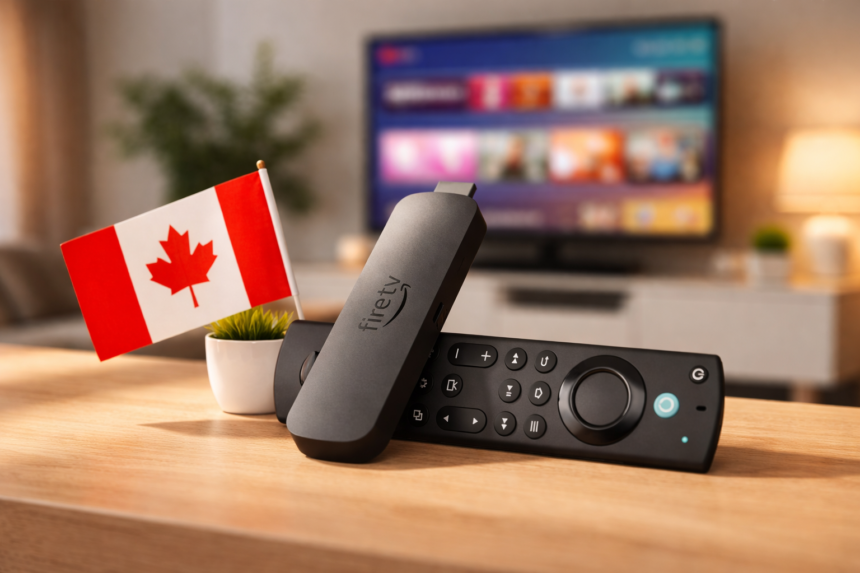
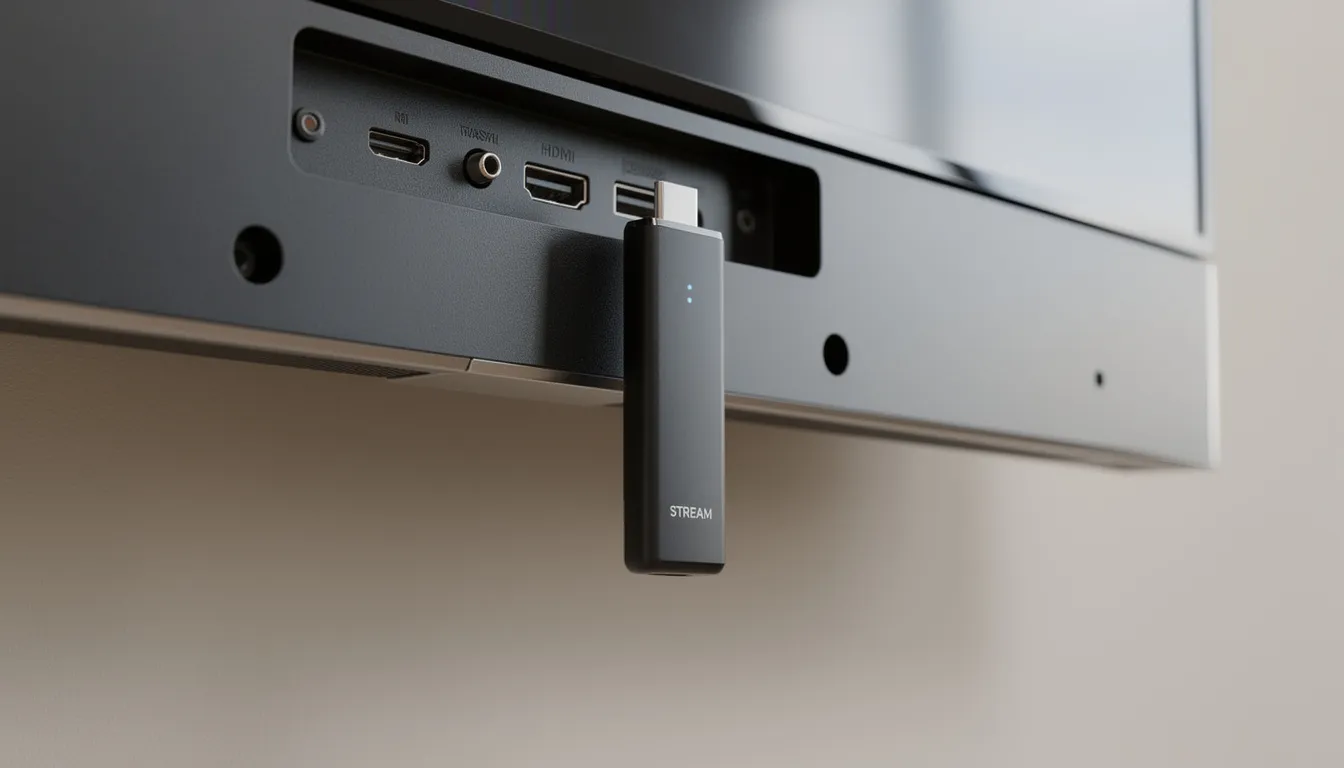
The Fire TV Stick 4K is a compact streaming device about the size of a USB thumb drive that plugs directly into your TV’s HDMI port. Once connected, it transforms any compatible TV—whether it’s a basic HDTV or a premium 4K display—into a fully-featured smart TV capable of running hundreds of streaming apps. The fire stick is a key streaming device in the market, known for its versatility and popularity among users. Think of it as a tiny computer dedicated entirely to your home entertainment setup, controlled by the included Alexa Voice Remote.
In Canada, where cable packages from Bell, Rogers, Shaw, and Telus can easily run $100 or more per month, the Fire TV Stick 4K offers a compelling alternative. For a one-time purchase price, you gain access to virtually every legal streaming service available in the country. The device connects to your home Wi-Fi network and streams content directly from services like Prime Video, Netflix, Crave, and CBC Gem—no cable box required. Amazon devices like the Fire TV Stick 4K are designed to integrate seamlessly with Alexa and other Amazon products, making them especially appealing for users already invested in the Amazon ecosystem.
The difference between the standard Fire TV Stick 4K and the Fire TV Stick 4K Max comes down to performance and connectivity. The Max features a faster 2.0 GHz quad-core processor compared to the standard model’s 1.7 GHz chip, along with 2GB of RAM and 16GB of storage. More importantly for Canadian users in congested urban environments like Toronto, Vancouver, or Montreal, the Max supports Wi-Fi 6E technology, which operates on the less crowded 6 GHz band for faster streaming and reduced interference.
Both devices support 4K Ultra HD resolution at 60 frames per second, along with comprehensive HDR formats including HDR10, HDR10+, HLG, and Dolby Vision when paired with a compatible Canadian TV. Audio capabilities extend to Dolby Atmos for immersive sound through a connected soundbar or AV receiver. The Fire TV interface is content-forward, meaning your home screen will prominently feature shows and movies from your installed apps, with Prime Video receiving some preferential placement since Amazon manufactures the device.

Compared to the often sluggish built-in smart TV apps found on many televisions sold in Canada, the Fire TV Stick 4K typically loads apps faster and receives more frequent software updates, extending the useful life of older television sets.
One of the biggest advantages of the Fire TV Stick is its portability—you can easily take it with you on vacation or to a friend’s house and enjoy your streaming services anywhere with Wi-Fi. Additionally, the Fire TV Stick features a user-friendly interface that is accessible to a wide range of users, from teenagers to grandparents.
Which Firestick 4K Model Is Best for You in Canada?
Amazon currently sells several 4K-capable Fire TV devices in Canada, each targeting different use cases and budgets. With the release of the new Fire TV Stick models and recent product updates, understanding the differences will help you choose the right model for your living room, bedroom, cottage, or student apartment.
Fire TV Stick 4K is the most affordable entry point into 4K streaming. It delivers crisp Ultra HD picture quality with HDR support and Dolby Atmos audio at a reasonable price. For most Canadian households with a standard high-speed internet connection, this model handles Netflix, Disney Plus, and other streaming services without issue. It uses Wi-Fi 5, which works perfectly well on most home networks.
Fire TV Stick 4K Max represents the premium stick option. With its faster processor, doubled storage capacity (16GB versus 8GB on older models), and Wi-Fi 6E support, it’s the great device for heavy streamers and households where multiple people compete for bandwidth. The Max loads apps noticeably faster and handles the Fire TV interface with smoother navigation. If you live in a condo or apartment building where Wi-Fi congestion is common, the 6 GHz band access can make a meaningful difference.
Fire TV Stick 4K Plus is a good choice for 4K streaming if you don’t need the very latest features like Wi-Fi 6E. It offers solid performance for most users looking for reliable 4K playback at a mid-range price.
Fire TV Cube sits at the top of the lineup. This premium set-top box includes everything from the Max plus a built-in Alexa speaker for hands-free voice control, HDMI inputs for connecting cable boxes or game consoles, and the ability to act as a central smart home hub. It’s overkill for most cord-cutters focused purely on streaming, but ideal for users who want complete Alexa integration throughout their home entertainment setup.
Approximate Canadian pricing in 2025:
- Fire TV Stick 4K: $40–$60 CAD (frequently on sale)
- Fire TV Stick 4K Max: $55–$80 CAD
- Fire TV Cube: $140–$200 CAD
Fire TV Stick 4K Select is the cheapest 4K streaming stick Amazon offers. It comes with 8GB of storage, which may limit the number of apps you can download. The 4K Select uses the older Wi-Fi 5 standard for connections and is slower in performance compared to other streaming devices, making it best suited for basic streaming needs.
We recommend the Fire TV Stick 4K for budget-conscious users who want excellent 4K streaming without extras. The 4K Max is our pick for those who want the smoothest navigation and fastest app loading, particularly in Wi-Fi-congested environments. All devices plug into a TV’s HDMI port and draw power via the included USB cable (connected to a wall outlet adapter), and every Canadian retail box includes an Alexa Voice Remote.
Best for each model:
- Fire TV Stick 4K: Bedroom TVs, guest rooms, budget-conscious households, secondary televisions
- Fire TV Stick 4K Max: Main living room setups, heavy streamers, dense urban apartments, households with multiple simultaneous streams
- Fire TV Cube: Full smart home integration, users with existing cable box or gaming console passthrough needs, hands-free voice control enthusiasts
How Do You Set Up a Firestick 4K on a Canadian Internet Connection?
Setting up a Fire TV Stick 4K is easy and requires only a compatible TV and a stable Wi-Fi connection. Typically, the process takes under 10 minutes on major Canadian ISPs like Bell Fibe, Rogers Ignite, Telus PureFibre, Shaw, or Vidéotron. In our testing on a 150 Mbps Rogers cable plan and a 300 Mbps Bell fibre plan, the initial setup process and software updates completed in roughly 5–10 minutes. Here’s exactly how to do it.
Step 1: Connect the hardware
Plug the Fire TV Stick 4K directly into an available HDMI port on your TV. If the stick blocks adjacent ports due to its size, use the included HDMI extender cable. HDMI cables are also important for connecting external devices like soundbars, cable boxes, or other streaming equipment to your TV, enhancing your overall home theater experience. Connect the USB power cable to the stick, then plug the other end into the included wall adapter. We strongly recommend using the wall outlet rather than your TV’s USB port, as TV USB ports often don’t provide enough power for stable operation.
Step 2: Switch your TV input
Turn on your television and switch to the correct HDMI input using your TV remote. You should see the Fire TV logo appear as the device boots up.
Step 3: Pair the Alexa Voice Remote
The remote should pair automatically. If it doesn’t, hold the Home button for about 10 seconds until you see the pairing prompt on screen. The remote uses two AAA batteries, which are typically included in the box.
Step 4: Connect to your Canadian Wi-Fi network
Select your home Wi-Fi network from the list and enter your password. For optimal 4K streaming performance, we recommend connecting to your router’s 5 GHz band rather than 2.4 GHz. Canadian cable and fibre plans from Bell, Rogers, and Telus all support 5 GHz on their standard router equipment.
Step 5: Sign in with your Amazon account
Sign in with an existing Amazon account or create a new one. You do not need an Amazon Prime membership to use the Fire TV Stick—Prime simply unlocks Prime Video content and some additional features. Any Canadian Amazon account works fine.
Step 6: Complete software updates
The device will automatically check for and install software updates on first boot. Let this process complete before proceeding to ensure you have the latest features and security patches.
Enabling HDMI-CEC for TV controls:
- Navigate to Settings > Equipment Control > Manage Equipment on your Fire TV
- Enable HDMI-CEC so your Firestick remote can power your TV on/off and control volume
- This lets you use one remote for your entire setup instead of juggling multiple remotes
- Enabling HDMI-CEC allows the Firestick 4K remote to control power and volume functions on compatible TVs and soundbars, streamlining your setup.
Which Legal Streaming Apps Work Best on Firestick 4K in Canada?
We want to be absolutely clear: this article focuses exclusively on legal, Amazon Appstore-approved apps available in Canada. There’s no need to venture into grey areas when the legitimate options are this comprehensive.
Installing apps is straightforward. From the home screen, select the search icon or press and ask Alexa to find an app by name. Select “Get” or “Download” to install it, then sign in with your existing subscription credentials.
Movies and TV series (paid subscriptions):
- Amazon Prime Video: Included with Prime membership, excellent original content and rental library
- Netflix: The streaming giant with extensive movies and TV shows
- Disney Plus: Marvel, Star Wars, Pixar, and family content
- Apple TV: Apple’s originals plus rental and purchase options
- Paramount+: CBS content, movies, and originals
- Crave: Essential for Canadians wanting HBO content, Canadian originals, and premium movies
Canadian broadcaster apps:
- CBC Gem: Free tier available with ads, premium tier for ad-free viewing and expanded library
- CTV: Live and on-demand content from CTV network
- Global TV: Free with TV provider login, some free ad-supported content without login
- Citytv+: Content from City network with subscription
- Noovo: French-language Canadian programming
Sports streaming:
- Sportsnet+: NHL, MLB, and other sports content
- TSN+: CFL, soccer, and various sports
- NHL Live and MLB.TV: League-specific options when applicable
- YouTube TV: Not available in Canada, but YouTube offers some sports content
Free and ad-supported options:
- YouTube: Free access to millions of videos, stream music through YouTube Music
- Pluto TV: Free ad-supported streaming with channel-style programming
- Tubi: Free movies and TV with ads
Our recommended Canadian cord-cutter bundle:
For a typical Canadian household replacing cable, we suggest starting with Crave (for HBO Max content and Canadian shows), Netflix Prime Video (assuming you already have Prime membership), and CBC Gem’s free tier. Add Sportsnet+ or TSN+ during seasons when your favourite sports are playing. This combination covers most viewing needs at a fraction of traditional cable costs.
In our tests, 4K HDR streaming from Prime Video and Disney Plus on a 100 Mbps Bell connection was smooth with zero buffering when the Wi-Fi signal was strong. Content from Crave and Netflix performed equally well.
How Good Is Firestick 4K Picture, Sound, and Wi-Fi Performance?
Picture quality and immersive sound depend on three factors: your Firestick model, your TV and audio equipment, and your Canadian internet speed. Let’s break down what you can expect.
Video capabilities:
- 4K Ultra HD resolution (2160p) at 60 frames per second
- HDR10 and HDR10+ support for expanded colour and contrast
- HLG (Hybrid Log-Gamma) for broadcast HDR content
- Dolby Vision on Fire TV Stick 4K Max (requires compatible TV)
The difference between standard 4K and 4K with HDR is significant. Colours appear more vibrant, blacks are deeper, and highlights have more detail. In third-party testing with native 4K content like the film “Challengers” in HDR10+ on Amazon Prime Video, reviewers noted that detail levels, colours, and motion impressed compared to competing devices, with film grain appearing cleaner and more intentional.
Audio capabilities:
- Dolby Atmos support for three-dimensional immersive sound
- Up to 7.1 surround sound passthrough
- Dolby encoded audio through HDMI ARC/eARC connections
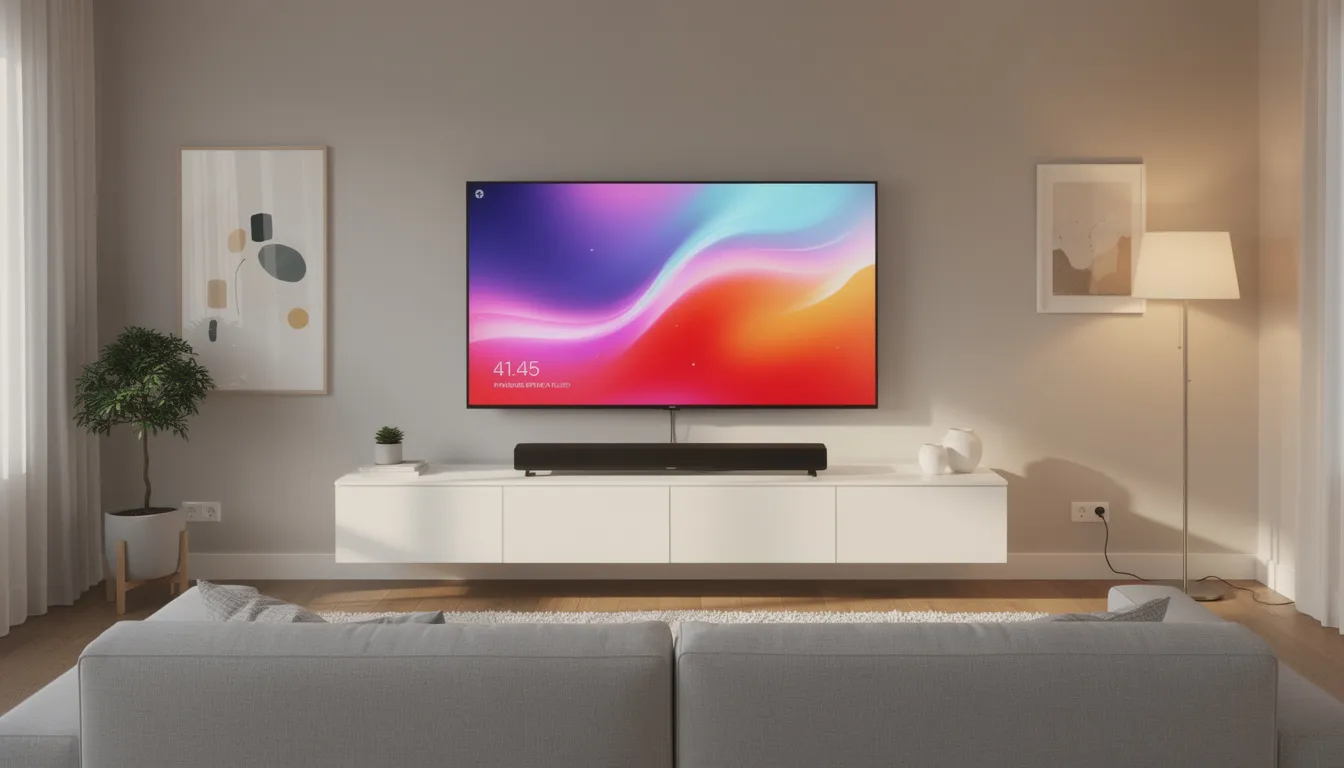
The Fire TV Stick 4K is a great addition to any home theater setup, integrating seamlessly with soundbars, AV receivers, and other components to create an immersive viewing environment. To take advantage of Dolby Atmos, you’ll need a compatible soundbar or AV receiver connected via your TV’s HDMI ARC or eARC port. The Fire TV Stick also supports HDMI pass-through of Dolby-encoded audio, ensuring high-quality sound for advanced home theater systems. Many traditional cable boxes in Canada never offered this level of audio quality, making it a genuine upgrade for your home theatre. Additionally, the Fire TV Stick is compatible with Bluetooth 5.0, allowing you to connect wireless speakers and headphones for flexible audio options.
Network performance:
- Fire TV Stick 4K: Wi-Fi 5 (dual-band, 5 GHz recommended)
- Fire TV Stick 4K Max: Wi-Fi 6E (adds 6 GHz band for less congestion)
We recommend at least 25 Mbps per 4K stream on cable or fibre connections in Canada. Most Bell, Rogers, and Telus plans far exceed this minimum. Always use the 5 GHz band where possible, especially in apartment buildings where 2.4 GHz congestion is common.
Key Features at a Glance:
- 4K Ultra HD with HDR10, HDR10+, HLG, and Dolby Vision (Max only)
- Dolby Atmos immersive audio support
- Wi-Fi 5 (standard 4K) or Wi-Fi 6E (4K Max)
- Low latency for responsive navigation
In our real-world testing on a 150 Mbps Rogers Ignite plan using the Fire TV Stick 4K Max, Netflix and Prime Video 4K titles held a stable 2160p stream with no noticeable drops. The faster streaming capability of the Max model was evident when switching between apps or loading content libraries.
How Does Firestick 4K Compare to Other Fire TV Devices for Canadians?
Canadian buyers often debate between the Fire TV Stick HD, Fire TV Stick 4K, 4K Max, and Fire TV Cube when shopping on Amazon.ca or at local retailers like Best Buy. Each device targets different needs and budgets, and a direct comparison helps clarify which makes sense for your situation.
For most Canadian cord-cutters, the Fire TV Stick 4K or 4K Max offers the best balance of price and performance. The standard 4K model handles everyday streaming needs admirably, while the Max justifies its premium for users who want the fastest possible experience or live in Wi-Fi-congested environments. The Fire TV Cube makes sense primarily for those building a comprehensive smart home ecosystem or who value hands-free Alexa commands throughout their viewing experience.
If you have an old TV that only supports 1080p, the Fire TV Stick HD saves money while still providing access to all the same streaming apps and Alexa features—just without 4K resolution.
How Do You Use Alexa and Smart Home Features on Firestick 4K in Canada?
Every current Fire TV Stick 4K model ships with an Alexa Voice Remote, putting voice control at your fingertips. Simply hold the Alexa button and speak your command. The Fire TV Cube takes this further with hands-free voice control through built-in far-field microphones, but even the standard remote delivers impressive functionality.
Common Alexa voice commands for streaming:
- Launch apps: “Alexa, open Crave” or “Alexa, open CBC Gem”
- Content search: “Alexa, find Canadian comedies” or “Alexa, show NHL games”
- Playback control: “Alexa, pause,” “Alexa, skip ahead 30 seconds,” or “Alexa, play from the beginning”
- Browse content: “Alexa, show me action movies” or “Alexa, what’s new on Netflix”
These Alexa commands work across most Fire TV apps, making it faster to find what you want to watch than scrolling through menus. We find voice search particularly useful when you know what you want but can’t remember which app has it.
Smart home device integration:
Your Fire TV device connects with smart home devices through the Alexa app, enabling you to:
- View compatible security cameras (Ring, Blink, and others) directly on your TV
- Control smart lights: “Alexa, dim the living room lights to 50%”
- Manage smart plugs and switches throughout your home
- Check smart doorbells when someone rings
For homes with multiple Fire TV devices, we recommend renaming each one in the Alexa app (for example, “Living Room Fire TV” and “Bedroom Fire TV”) for easier voice control. This prevents confusion when issuing commands in multi-device households.
The Fire TV Cube can act more like an Echo speaker with always-listening microphones, but the standard Fire TV Stick devices require pressing the Alexa button on the remote. For most users focused on streaming, the remote-based approach works perfectly well.
Some advanced Alexa+ features may arrive in Canada later and could require a separate monthly fee, but these are not mandatory for day-to-day streaming and smart home control.
Enhancing Your Streaming Experience
To truly maximize your Fire TV Stick, it’s important to explore the features and settings that make streaming effortless and enjoyable. The intuitive Fire TV interface allows you to quickly find and launch your favorite streaming apps, such as Netflix, Prime Video, and Disney+, putting a vast library of content at your fingertips. The included Alexa Voice Remote adds another layer of convenience, letting you search for movies, control playback, and even manage smart home devices with simple voice commands. For those seeking the best in picture quality, the Fire TV Stick 4K delivers stunning visuals with support for Dolby Vision and immersive sound through Dolby Atmos. If your streaming needs are more modest, the Fire TV Stick HD and Fire TV Stick Lite offer reliable performance at a lower price point, making them ideal for secondary TVs or casual viewing. No matter which model you choose, you’ll enjoy easy access to your favorite apps, smooth navigation, and the ability to control your TV and smart home with just your voice.
How Much Does It Cost to Own and Run a Firestick 4K in Canada?
Let’s address the most common question upfront: there is no monthly fee for the Firestick hardware itself. Once you purchase the device, it’s yours to use indefinitely without any ongoing hardware subscription.
Cost breakdown for Canadian Firestick 4K ownership:
Cost Category | Details |
|---|---|
One-time device purchase | Fire TV Stick 4K: $50–$70 CAD; 4K Max: $65–$90 CAD; Fire TV Cube: $150–$200 CAD |
Ongoing app subscriptions | Netflix, Disney+, Crave, Sportsnet+, TSN+, etc.—each billed separately in CAD |
Optional Amazon Prime | Annual or monthly membership unlocks Prime Video plus other benefits, but not required to use the device |
Power consumption | Negligible impact on your hydro bill—the stick consumes very little electricity |
- Prime Video (included with $99/year Prime membership): ~$8.25/month equivalent
- Netflix (Standard): ~$16.49/month
- CBC Gem (free tier): $0/month
- Occasional Sportsnet+ month-pass: ~$15–$20 when needed
Total: approximately $25–$45/month for a comprehensive streaming lineup, compared to cable packages that often exceed $100/month before equipment rental fees.
Canadians can combine several free and paid streaming apps to replace cable while typically saving $50–$75 or more monthly. Services like CBC Gem, Pluto TV, and Global TV (with some free content) help stretch your budget further.
The device’s power consumption is minimal—roughly equivalent to leaving a phone charger plugged in—so you won’t notice any impact on your Canadian hydro bill.
What Are the Best Firestick 4K Tips and Troubleshooting Steps for Canadians?
Most Firestick 4K issues—buffering, slow apps, remote glitches—are easy to fix at home without contacting support. We’ve compiled the most effective solutions based on our testing experience.
Performance optimization tips:
- Improve Wi-Fi signal: Move your router closer to the TV, switch to the 5 GHz band, or consider an Ethernet adapter for the most stable connection
- Clear app cache: Go to Settings > Applications > Manage Installed Applications, select the problematic app, and clear cache
- Uninstall unused apps: Free up storage space by removing apps you rarely use—the device loads apps faster with more available storage
- Restart the Firestick: Navigate to Settings > My Fire TV > Restart, or simply unplug the device for 30 seconds
- Check for updates: Go to Settings > My Fire TV > About > Check for Updates to ensure you’re running the latest software
Remote troubleshooting:
- Slow response: Replace the AAA batteries—weak batteries are the most common cause of laggy remote behaviour
- Unresponsive remote: Re-pair by holding the Home button for 10 seconds until the pairing light flashes
- Backup option: Download the official Fire TV app on your Android or iOS smartphone to use as an emergency remote
Canada-specific considerations:
When travelling abroad, geo-restrictions may limit access to Canadian streaming apps and content libraries. Using your Firestick with compliant regional settings while in Canada ensures full access to your subscriptions.
Recommended internet speeds:
Stream Quality | Minimum Speed |
|---|---|
HD (1080p) | 10 Mbps |
4K Ultra HD | 25 Mbps |
4K with HDR/Dolby Vision | 30+ Mbps |
If problems persist, run a speed test on your Canadian ISP connection using the Silk browser on your Fire TV device or a smartphone on the same network. Connection issues often stem from network congestion during peak evening hours.

Conclusion
In summary, the Amazon Fire TV Stick is a smart investment for Canadians eager to elevate their streaming experience. Its compact design and straightforward setup process make it easy to bring powerful streaming capabilities to any TV. With access to a wide range of streaming services—including Netflix, Prime Video, and more—the Fire TV Stick is perfect for anyone looking to upgrade their home entertainment setup without breaking the bank. For those who crave the ultimate in picture and sound, the Fire TV Stick 4K supports 4K streaming, Dolby Vision, and Dolby Atmos, delivering a truly cinematic experience right in your living room. Whether you’re watching movies, catching up on TV shows, or streaming music, the Fire TV Stick offers a convenient, affordable, and feature-rich solution for all your entertainment needs.
Additional Resources
If you’re interested in learning more about the Amazon Fire TV Stick and how to get the most from your device, there are plenty of resources available. The official Amazon website offers detailed setup instructions, troubleshooting guides, and tips for optimizing your Fire TV Stick. The Fire TV app is another valuable tool, allowing you to control your device with your smartphone, use voice commands, and quickly access your favorite streaming services. Popular streaming platforms like Netflix, Prime Video, Disney+, and YouTube are all available on the Fire TV Stick, along with live TV options such as YouTube TV and HBO Max. With its affordable price, robust feature set, and support for a wide variety of streaming services, the Fire TV Stick is an excellent choice for anyone looking to enhance their streaming experience and enjoy seamless access to their favorite content.
FAQ
These questions address common Canadian Firestick 4K queries that weren’t fully covered in the sections above.
Do I need a 4K TV to benefit from a Firestick 4K in Canada?
A 4K television is required to see full 4K resolution, but the Fire TV Stick 4K will still work perfectly on a 1080p HDTV by automatically downscaling the picture to match your TV’s capabilities. If you’re planning to upgrade to a 4K TV within the next couple of years, buying a Firestick 4K now makes sense for future-proofing. Keep in mind that HDR and Dolby Vision benefits require a compatible 4K HDR television with the correct HDMI input settings enabled.
Can I take my Firestick 4K when travelling within Canada?
Absolutely. The Fire TV Stick 4K is highly portable and works in hotels, cottages, and family homes across Canada as long as there’s an HDMI port on the TV and a stable Wi-Fi connection. Hotel Wi-Fi sometimes requires a captive portal login, which the Firestick can usually handle via its built-in browser prompt or network authentication screen. Just remember to bring the power adapter and remote. Your app availability and content libraries remain Canadian when used anywhere inside Canada.
Will Firestick 4K work with my Bell, Rogers, Telus, or Shaw TV subscription apps?
Many Canadian broadcasters offer Fire TV apps—including Global TV, CTV, and Citytv—that can unlock additional on-demand content when linked with your cable or satellite login credentials. Support varies by provider and app, so we recommend checking the Amazon Appstore listing and your TV provider’s website for current compatibility information. Even without a traditional TV subscription, several of these apps provide free ad-supported content in Canada.
Is Firestick 4K better than my smart TV’s built-in apps?
In our experience, the Fire TV Stick 4K is often faster and receives more frequent software updates than older smart TV platforms commonly sold in Canada. Fire TV typically offers a wider selection of apps and stronger Alexa integration than many built-in TV operating systems like older versions of WebOS or Tizen. For Canadians with aging smart TVs (3+ years old), a Firestick 4K can effectively extend the useful life of your existing screen rather than requiring a complete TV upgrade.
Can I game on a Firestick 4K in Canada?
The Fire TV Stick 4K supports casual games from the Amazon Appstore and cloud gaming services like Amazon Luna where available in Canada. Performance is best suited to lightweight and cloud-based gaming experiences rather than serving as a replacement for a dedicated console like PlayStation or Xbox. If you’re interested in casual or cloud gaming, connecting a compatible Bluetooth controller significantly improves the experience compared to using the Alexa Voice Remote. For serious gamers, we recommend keeping your existing console alongside your streaming device.
Free Streaming Options for Canadians
One of the biggest advantages of the Amazon Fire TV Stick is the wealth of free streaming options available to Canadians. With just a few clicks, you can access a wide variety of movies, TV shows, documentaries, and even live channels—no subscription required. Popular free streaming services like Pluto TV, Tubi, and YouTube are all available directly through the Fire TV interface, making it easy to discover new content without spending a dime.
Pluto TV stands out for its channel-style programming, offering everything from classic TV series to live news and sports, all streaming for free on your TV. Tubi provides an extensive library of movies and TV shows across genres, updated regularly so there’s always something new to watch. YouTube remains a go-to for millions of Canadians, letting you stream music, catch up on trending videos, or dive into niche interests—all from your Fire TV device.
For those who want Canadian content, CBC Gem offers a robust selection of homegrown TV shows, documentaries, and news, with a free tier supported by ads. Crave Free also provides a rotating lineup of Canadian series and specials at no cost. With the Fire TV Stick, you can easily browse and access these free streaming services, making it a great device for anyone looking to cut the cord and enjoy quality entertainment without the monthly fee. Whether you’re watching movies, streaming live channels, or exploring new favourites, the Fire TV Stick puts a world of free content at your fingertips.
Watching Live TV and Sports on Firestick 4K in Canada
The Fire TV Stick 4K is a great device for Canadians who want to watch live TV and sports without a traditional cable subscription. Thanks to the intuitive Fire TV interface, you can quickly access a range of streaming services that offer live channels and sports coverage. While some international services like YouTube TV and Hulu + Live TV are not officially available in Canada, there are plenty of Canadian-friendly options to keep you connected to your favourite teams and events.
Apps like Sportsnet+, TSN+, and CBC Gem provide live sports streaming, including NHL, CFL, soccer, and more. Many of these services are available directly through the Fire TV app, allowing you to browse live events, set reminders, and watch games in real time. For news and entertainment, apps from Canadian broadcasters such as CTV, Global TV, and Citytv offer live TV streams and on-demand content, often with a mix of free and subscription-based access.
The Fire TV Stick 4K’s fast performance and reliable streaming make it a great option for sports fans who don’t want to miss a moment of the action. With the ability to watch live TV, catch up on highlights, and access a variety of streaming services, the Fire TV Stick 4K transforms any TV into a versatile home entertainment hub—perfect for live TV enthusiasts and sports lovers alike.
Accessibility Features on Firestick 4K
The Fire TV Stick 4K is designed to be a great device for everyone, including users with disabilities. The included Alexa Voice Remote makes it easy to control your TV and navigate menus using simple voice commands—just press and ask Alexa to open apps, search for content, or control playback. This hands-free approach is especially helpful for users with limited mobility or vision.
For those with hearing or visual impairments, the Fire TV Stick 4K supports a range of accessibility features. Closed captions and audio descriptions are available on supported content, making it easier to follow along with movies and TV shows. Screen magnification and high contrast mode help users with low vision see on-screen details more clearly. The Fire TV app also offers text-to-speech functionality, allowing users to hear menu options and navigation cues on their mobile device.
With these built-in accessibility features, the Fire TV Stick 4K ensures that everyone can enjoy their favourite content, control their TV, and access streaming services with confidence and ease.
Setting Up Parental Controls and Restrictions
Keeping your family’s streaming experience safe is simple with the Fire TV Stick 4K’s robust parental controls. Using the Fire TV app or Alexa app, parents can easily create child profiles and set up restrictions tailored to their family’s needs. You can limit access to specific apps, block mature content, and require a PIN for purchases or to view restricted material.
Screen time limits can also be set, helping parents manage how long their children spend watching TV each day. The Fire TV Stick 4K allows you to restrict access to certain websites and even block internet browsing entirely if desired. All of these settings are easily managed from your TV or mobile device, giving you full control over what your kids can access.
With these parental controls, you can enjoy peace of mind knowing your children are exploring age-appropriate content and staying safe while using the Fire TV Stick 4K.
Streaming Security: Staying Safe and Legal in Canada
Security and privacy are top priorities when streaming with the Fire TV Stick 4K. The device is built with secure streaming protocols like HTTPS and TLS, ensuring your data is protected while you access your favourite streaming services. For added security, the Fire TV Stick 4K supports two-factor authentication, making it harder for unauthorized users to access your device or Amazon account.
Canadians who want an extra layer of privacy can use a VPN (Virtual Private Network) to encrypt their internet traffic while streaming. This helps protect your personal data and keeps your streaming activity private. It’s also important to stick to legitimate streaming services available through the official Amazon Appstore—accessing pirated or unauthorized content can put your device and personal information at risk, and may be illegal in Canada.
By following these best practices and using the built-in security features of the Fire TV Stick 4K, you can enjoy a safe, secure, and fully legal streaming experience on your TV.